

Make Obsidian work out of the boxA ready-made Obsidian vault plus a dedicated plugin: projects, tasks, notes and reviews work the moment you unzip it
No plugin hunting, no config. Open it and see what to do today; captured notes file themselves, review reports build themselves, and everything stays as local Markdown that you own.


277 people bought FLO.W
Made by Eryi · 14-day no-questions refund during beta
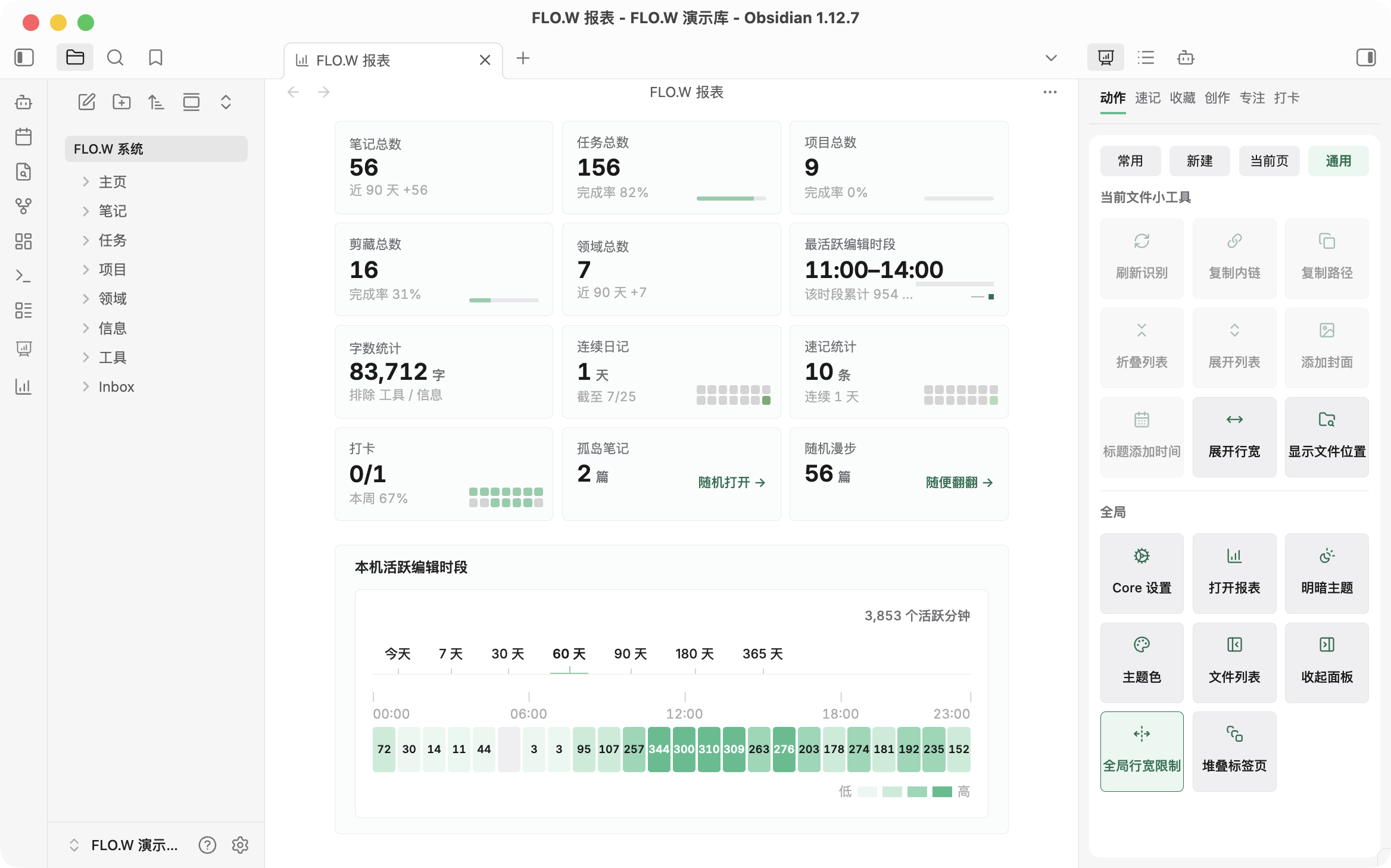
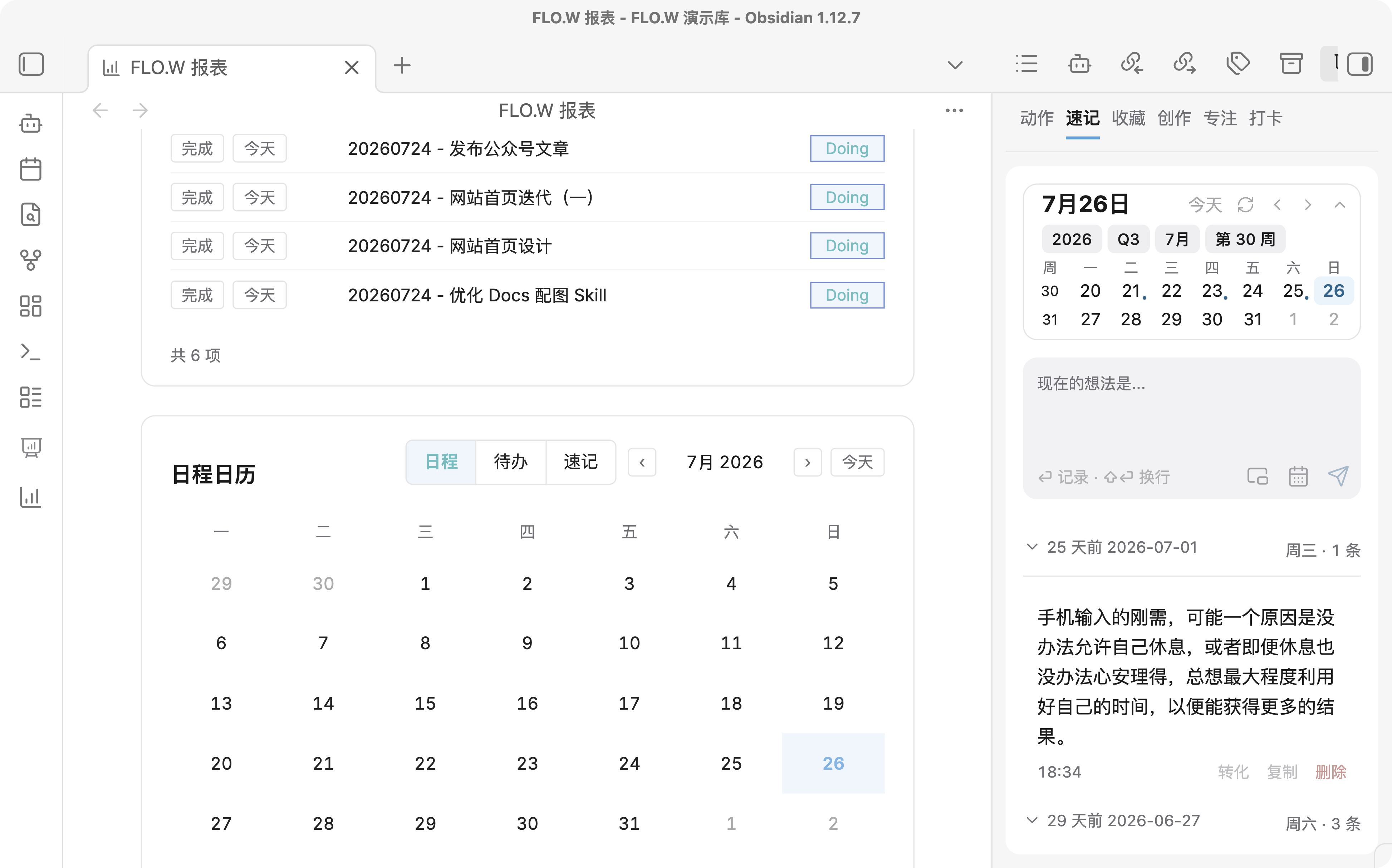
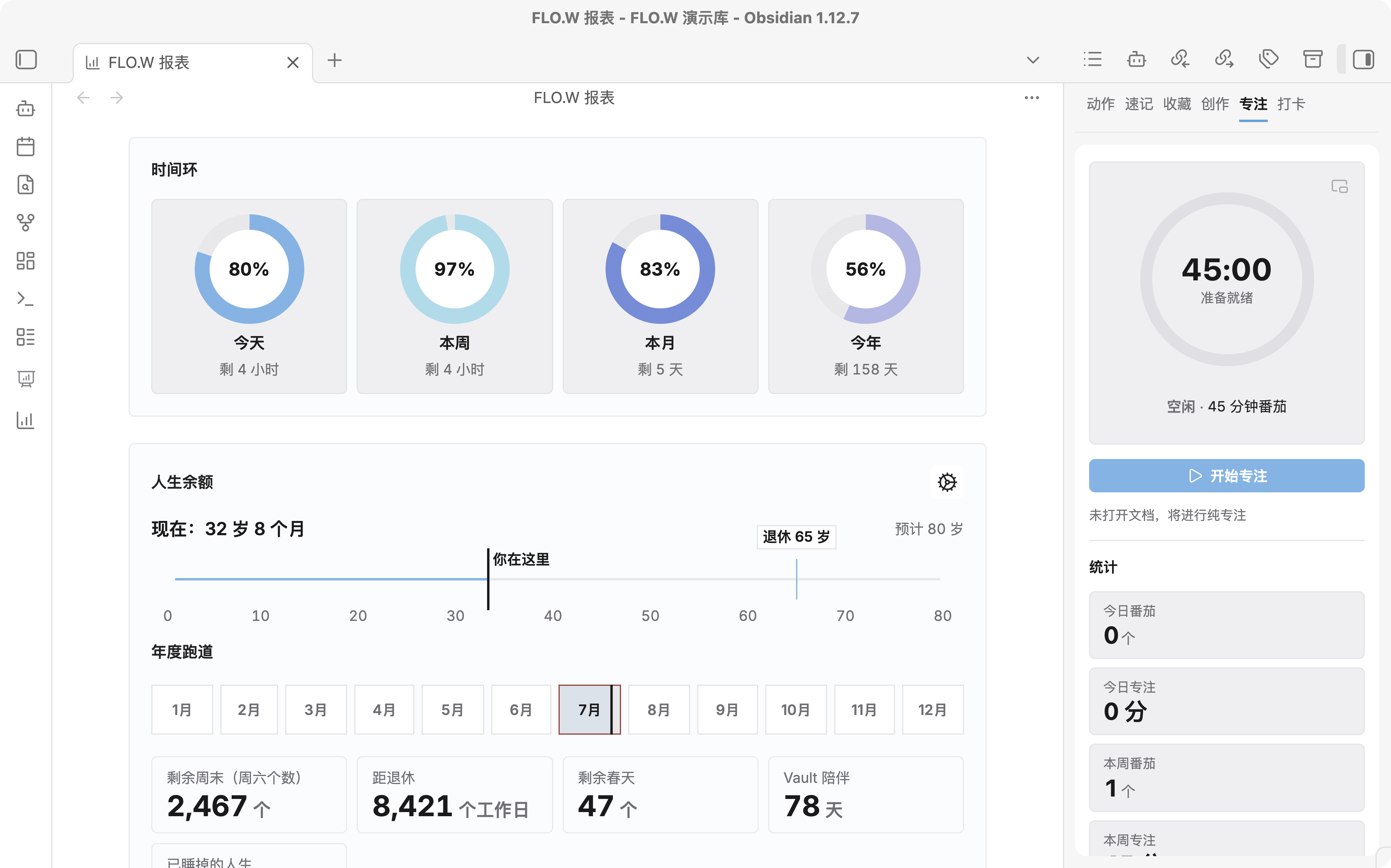
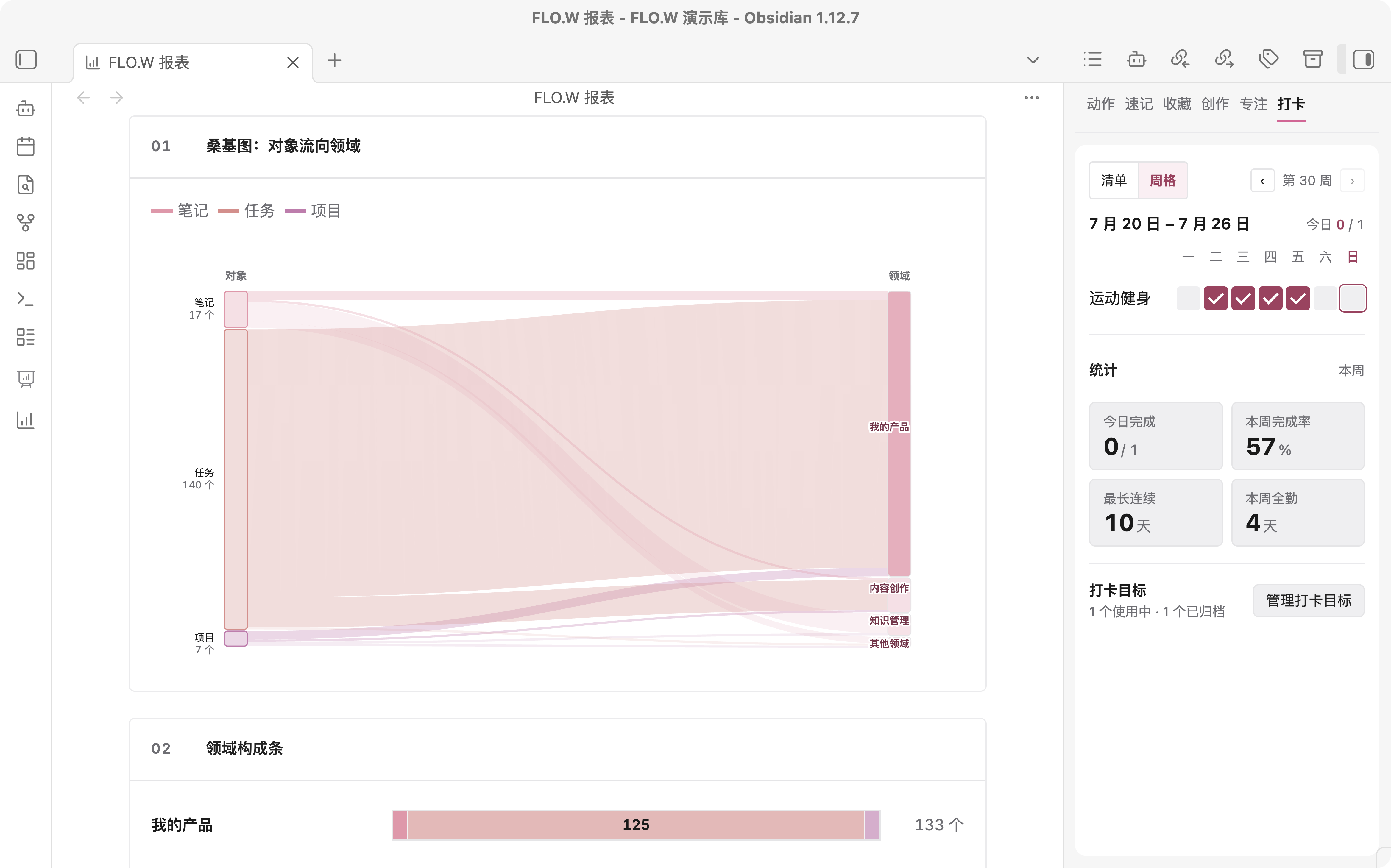
日常工作,一套全包
知识库搭建
不用从零搭,打开就能用


任务管理
打开就知道今天先做什么
项目规划
一摊事有归属,不会散落各处
复盘回顾
忙完能说清,时间花在哪
笔记整理
记下的东西找得到、用得上
目标追踪
长期方向不丢,进度看得见
62%
习惯坚持
每天一小步,连续看得见
信息收集
看到就收下,稍后再整理
专注番茄
坐下就能开始,先做完这一段
18:2425:00
下滑查看更多
Obsidian+开箱模板+配套插件
Why FLO.W
FLO.W is the name of this Obsidian template: a ready-made vault plus a plugin built for it. It helps you capture ideas, tasks and material quickly, files them into a clear structure, and leaves them ready for both you and AI to pick up.
Capture anywhere, filed automatically
Quick capture works on your phone, notes sort themselves by preset rules, and you never pick a folder
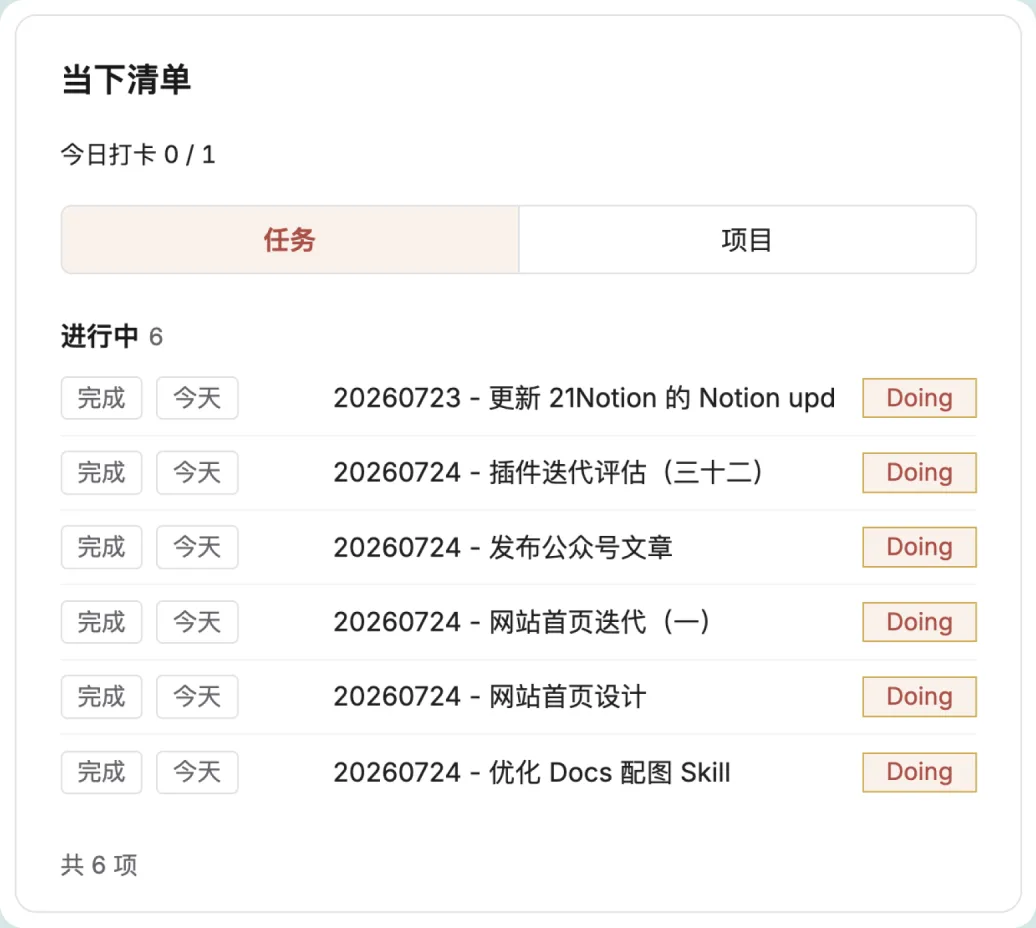
Open the vault and know
what to do today
The Now list shows only work in progress, with the calendar beside it and big goals broken into visible next steps
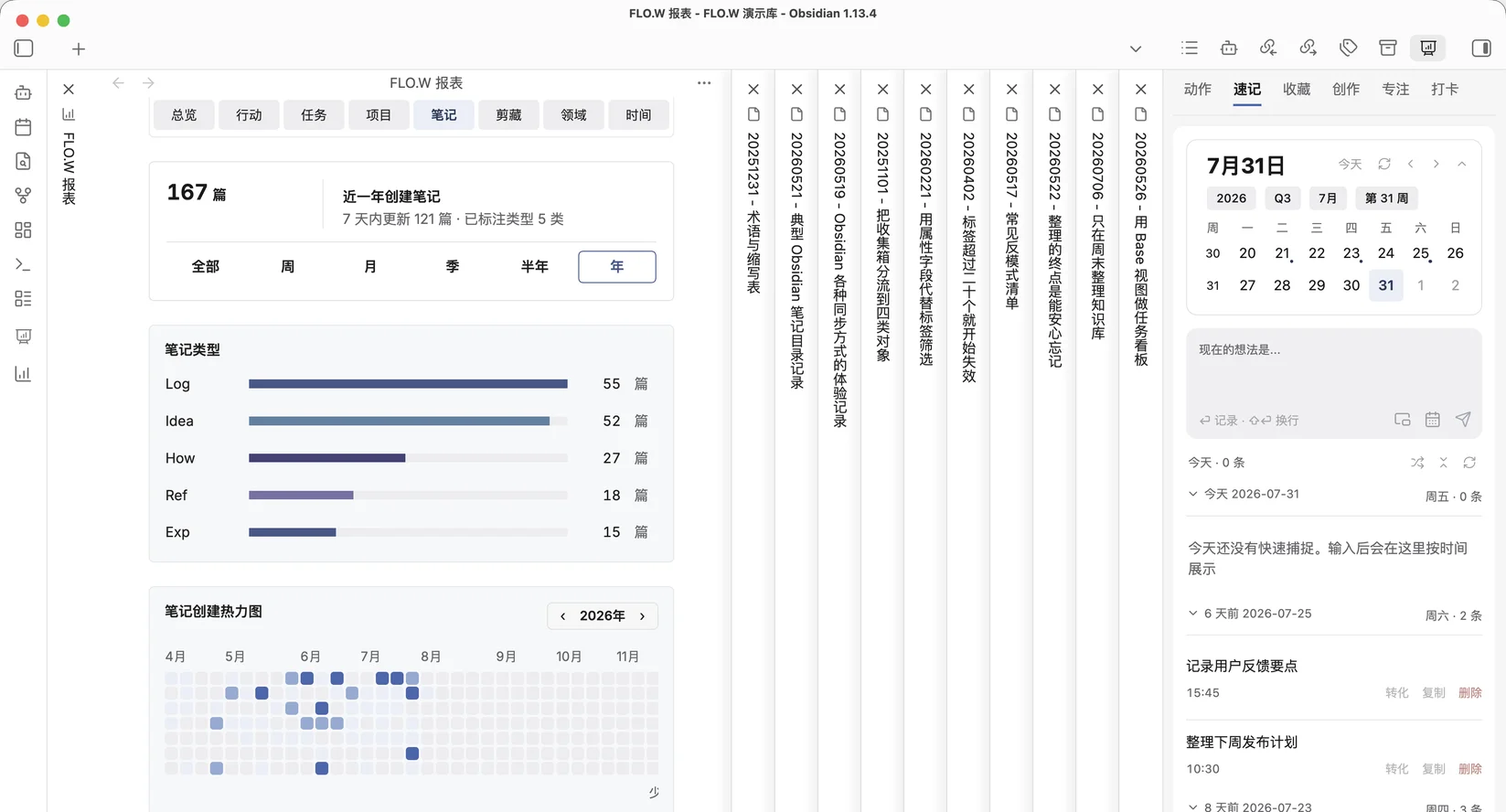
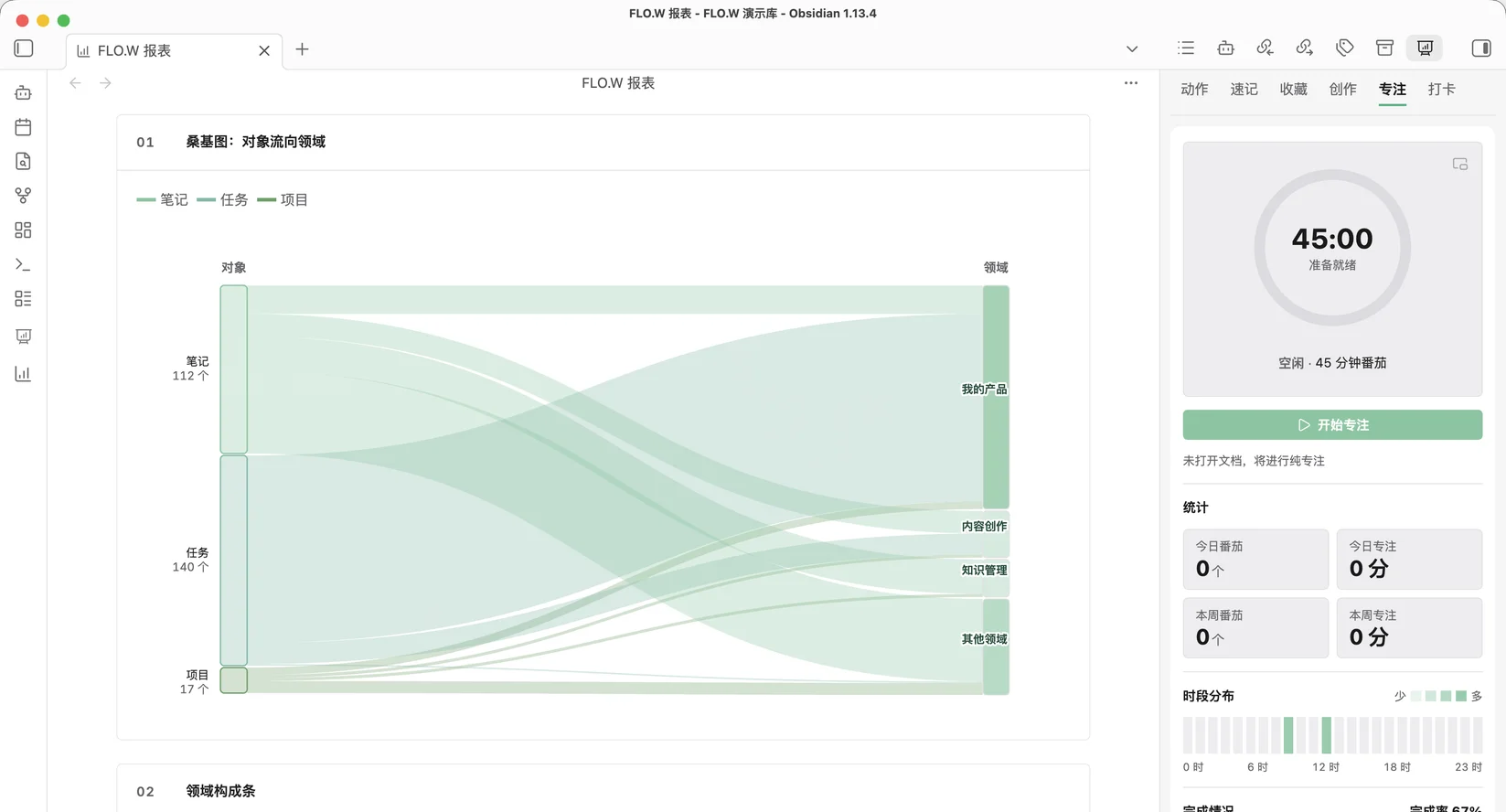
Ten minutes a week, see where time goes
Reports build themselves with stats for notes, tasks, and focus time, so reviews never start from zero
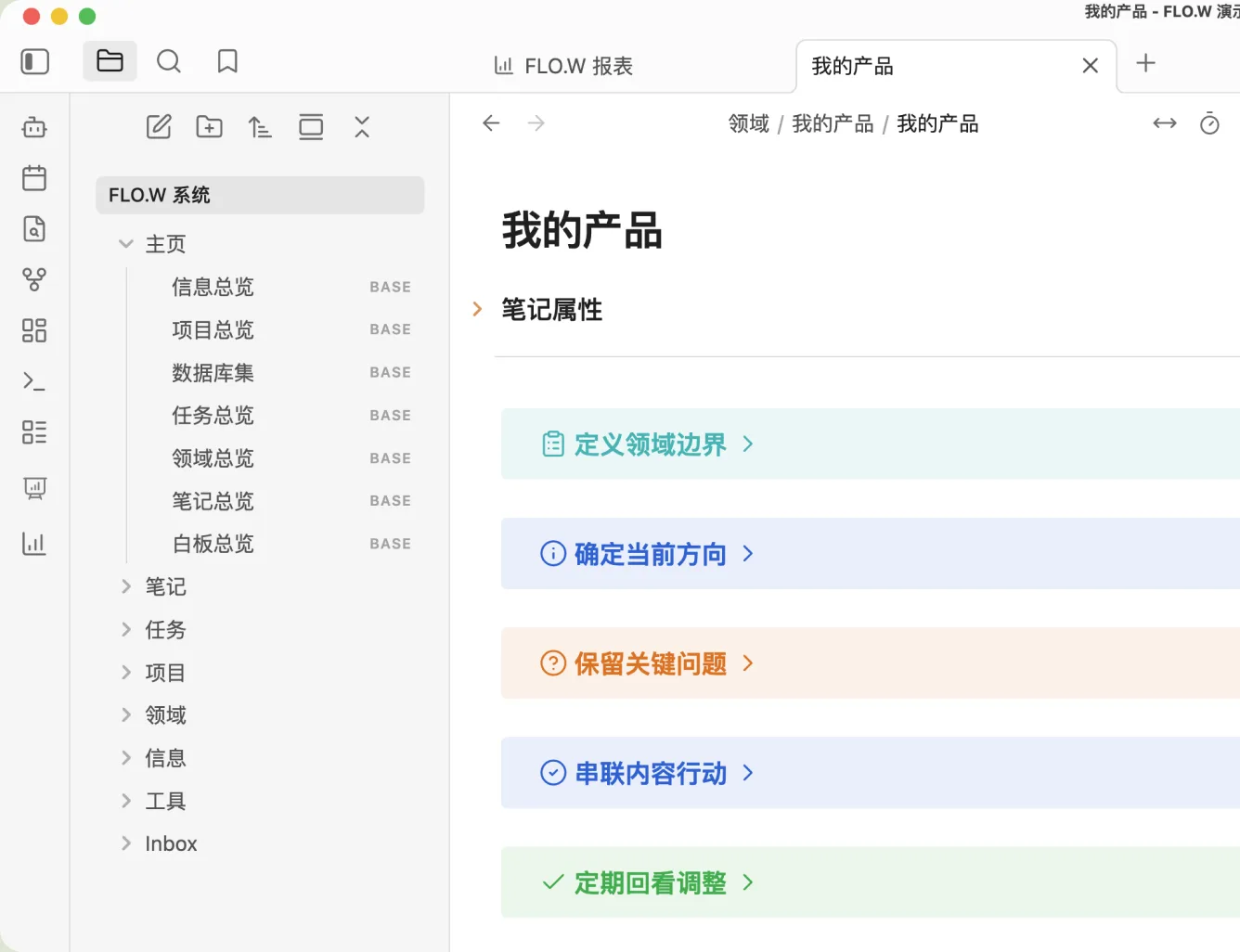
Set your long-term directions
so every thought has a home
Area pages hold the boundary and current focus, so new ideas land in place instead of scattering
高效管理海量笔记
字段绑定位置,一键修改自动归档
任务示例.mdMarkdown
---
FLO.W: Task
Status: [Todo]
---
# 任务示例
把「状态即位置」跑通:字段一变,文件自动归位。
- - [ ] 完成字段绑定
- - [ ] 验证文件夹落点
- - [ ] 状态变化看文件搬家
双向同步
桌面拖动纸张,手机点按文件夹上的「移入」
任务/待处理 文件夹,文件在这里已归档
Markdown
任务示例.md
Task
Status=[Todo]
待处理
任务 文件夹
任务根目录
任务/已完成 文件夹
已完成
Clever widgets built in
No extra plugins to install; turn each on or off as you like
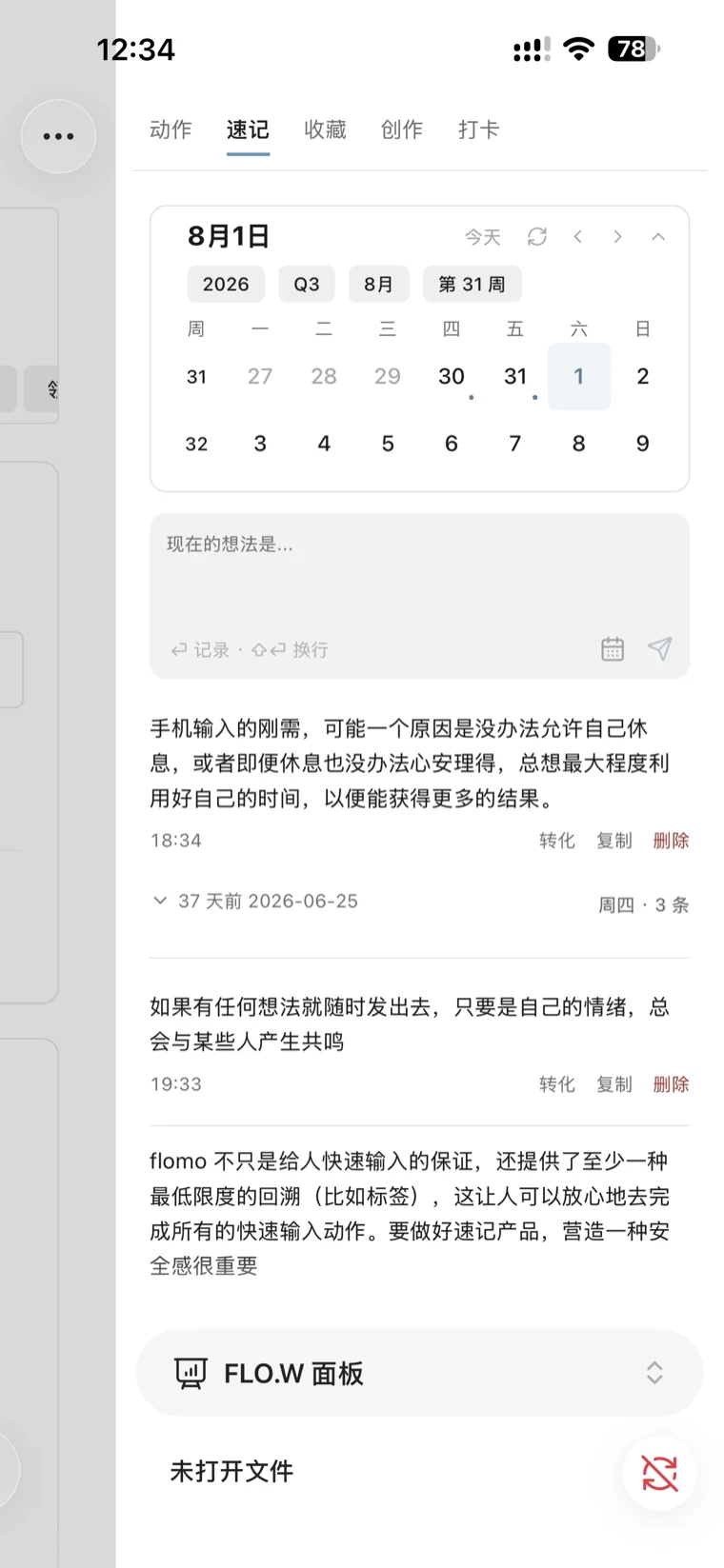
Quick capture
A flomo-style stream for passing thoughts
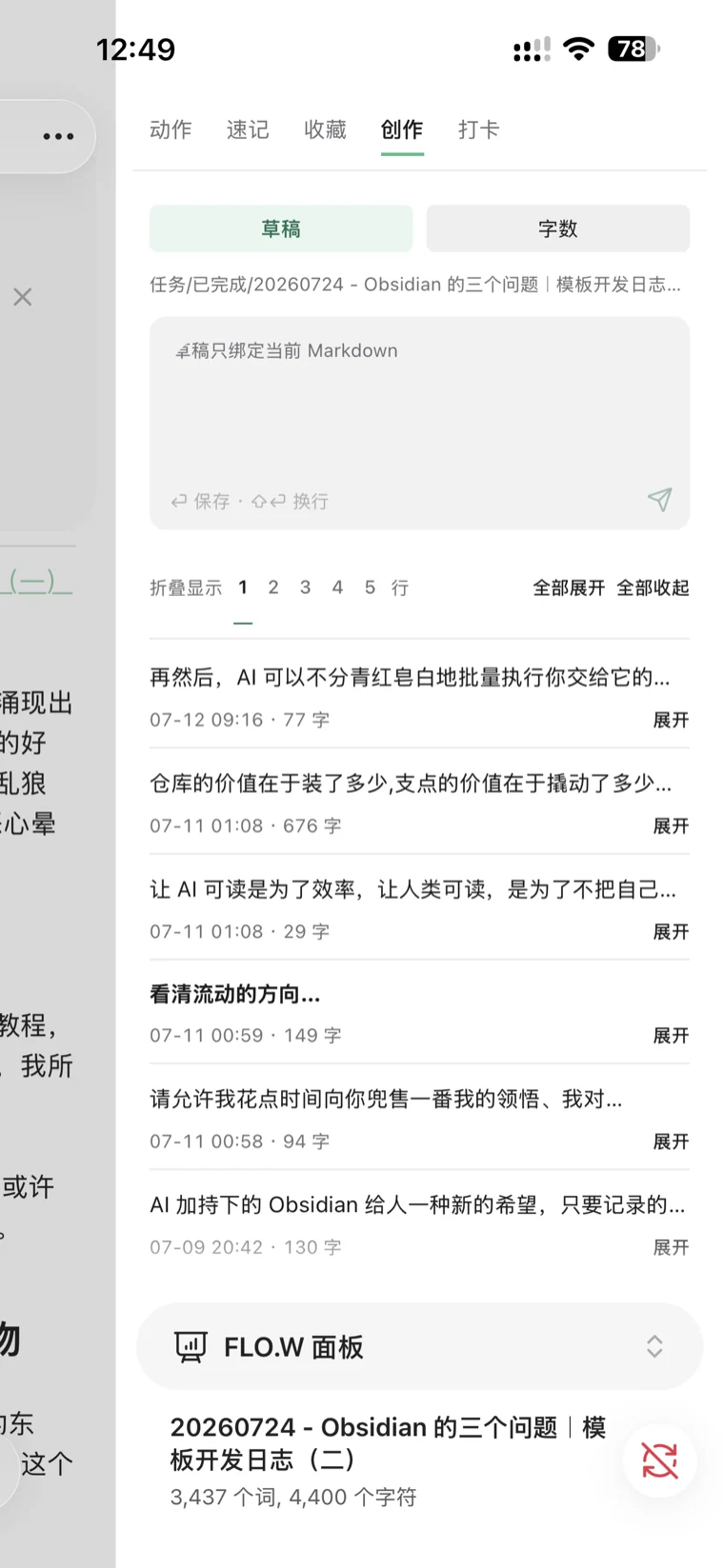
Creation
Draft pad caches ideas, word goals power the sprint
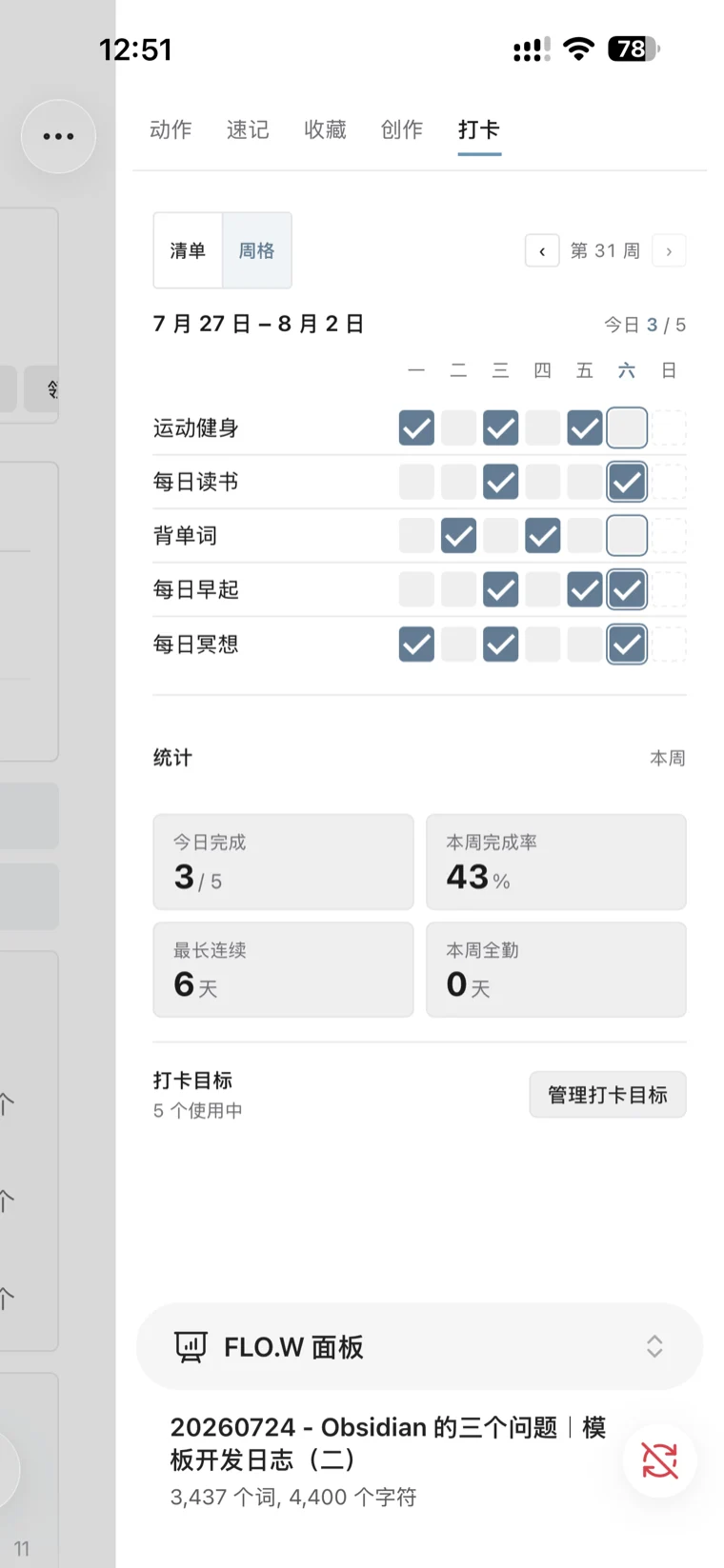
Check-in
Habit tracking, one monthly heatmap per goal
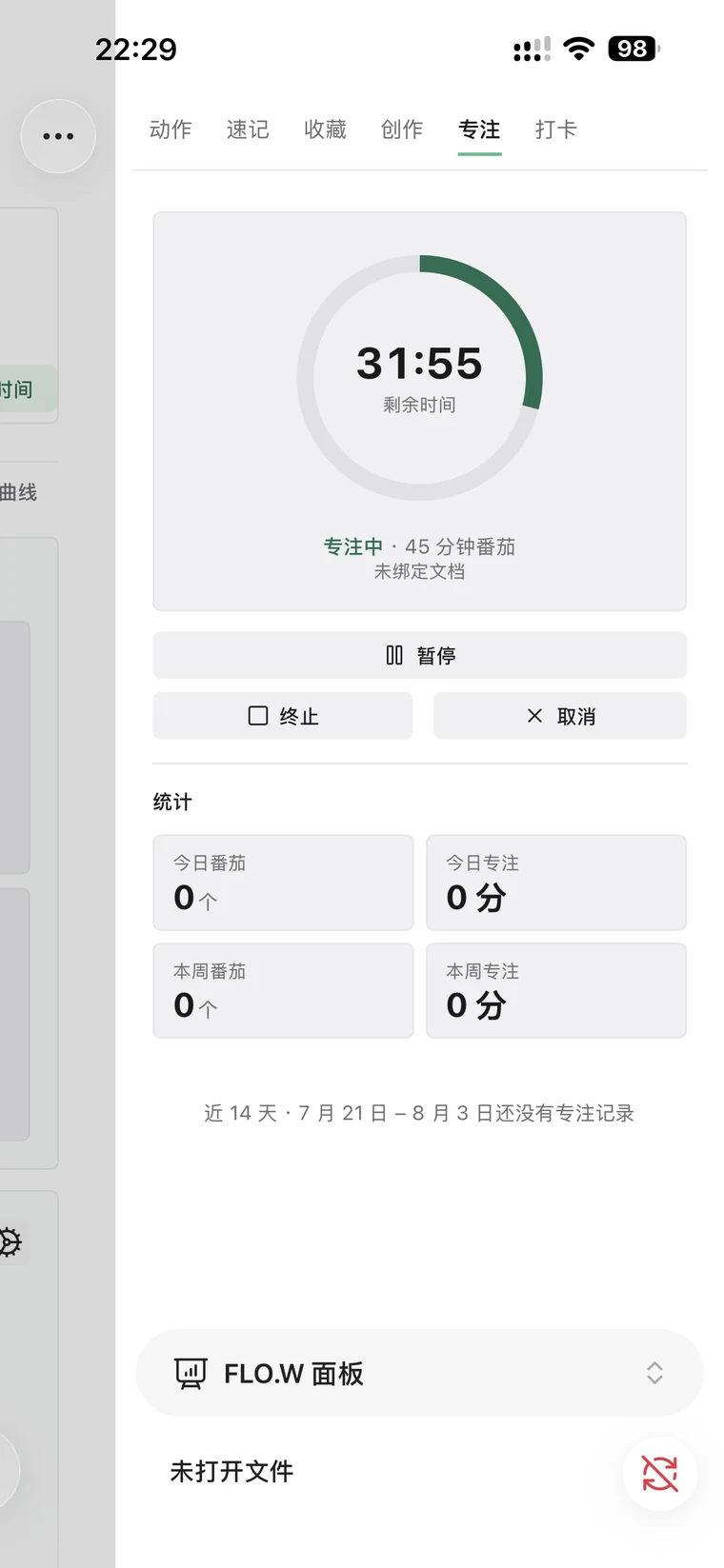
Focus
Pomodoro with stats, see where your hours go
A notes system still readable in fifty years
File Over App
Keep your records foreverStandard Markdown, readable and writable by any tool
纯 Markdown · 不锁定 · 随时备份迁移
FLO.W
位置
本机磁盘
FLO.W
下载
Inbox/
笔记/
工具/
领域/
任务/
项目/
信息/
主页/
Obsidian文本编辑器
命令行
FLO.W.zip
新电脑
Obsidian文本编辑器
命令行
FLO.W.zip
新电脑


 当前模型:Qwen3.5
*模型订阅不包含在内,FLO.W 仅提供接入建议
Data sovereignty stays yours
Local Markdown — truly private, easy to back up and move, never locked to a vendor
一次买齐:工作流 + 插件 + 搭好的库
专为知识工作者设计,不折腾代码、无需额外安装插件,解压即可使用
01_工作流
闭环工作流
记录、执行、定向、回顾,一圈转到底
快速捕捉灵感转化自动归位当下清单专注计时大事拆解毫秒检索关系索引直观进度数据报表周期回顾经验沉淀…
30+项预设
02_插件
全场景插件
为这套模板专门开发,随库装好
- 报表
- 面板
- 速记
- 提醒
- 打卡
- 专注
- 归位
- 新建
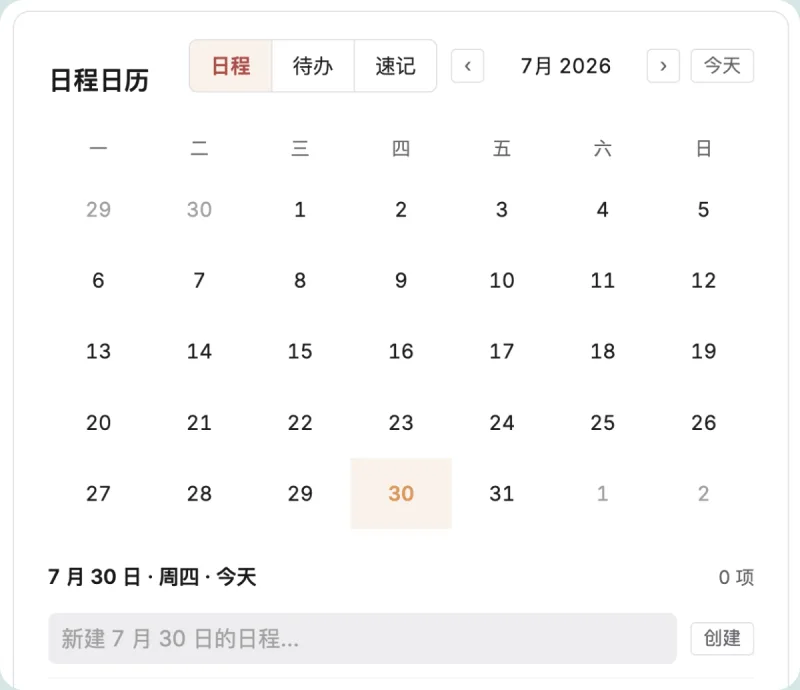
- 日历
- 收藏
- …
40+项功能
03_笔记库
开箱即用的库
文件夹、属性、视图都已备好,从第一条笔记开始就是你的
FLO.W 系统
Inbox/
笔记/
任务/
项目/
领域/
主页/
Pricing
Pay once, own it forever. Works offline, never auto-renews, and your notes always stay on your own computer.
Pro
Full buyout with long-term updates and private Q&A
CN¥299CN¥349
Save CNY 50 during Beta
277 people have bought FLO.W
Unconditional refund within 14 days of purchase
Key features
- Unlock all plugin features
- Keep using the purchased version offline
- 3 computers, phones included
- Written and video tutorials
- Unlimited long-term update support
- Private Q&A community
- Priority for new feature development
How to get the returning customer discount
Who qualifies as a returning customer
Previous buyers of my Notion templates, Notion courses, or Knowledge Planet products can apply.
How to get the returning customer discount
If you purchased on 21Notion, register and sign in with the same email address to recognize your eligibility.
If you are not recognized or purchased through another channel, submit the returning customer form for verification. Open the returning customer form, or email
Secure Payment






FAQ
Can I buy it now?
Yes. During the beta you can buy Pro outright at a discounted price, with a no-questions refund within 14 days. The beta price also applies for the first two weeks after launch.
How is it priced? Will I pay again?
One-time purchase, no auto-renewal. Pro includes long-term updates with no time limit, so future versions and local offline features cost nothing extra. Cloud services that need servers running continuously are not part of the purchase and will be explained separately if they launch.
Can I get a refund?
Yes. During the beta, email eryidebiji@gmail.com within 14 days of purchase for a no-questions refund.
I'm not an Obsidian power user. Can I use it?
Yes. The template unzips into a ready-made vault, with categories, fields, and rules pre-set
How is this different from setting up Obsidian myself?
Doing it yourself means picking plugins, writing config and reworking the structure again and again. FLO.W comes with categories, fields, auto-filing and reports already set up, and the Core plugin is built for exactly this structure, so the vault is ready to work in the moment you unzip it.
What is the Core plugin? Do I install it separately?
Core is the Obsidian plugin that ships with the template. Reports, quick capture, and reminders come from it, and it arrives together with the vault
How many devices can I use it on?
Pro activates on up to 3 computers. Phones and tablets do not use those slots: once a computer is activated, sync the vault to your phone and it activates automatically.
Does it work on mobile?
Yes. Obsidian has official mobile apps. Capture, lists, and check-ins work on the phone; reports are best on the desktop
Where does my data live?
In local Markdown files on your own device. Back it up, move it anywhere, locked into no vendor
Does it include cloud sync?
No cloud sync is included; notes, tasks and reports all work offline. For multi-device sync you can use Obsidian Sync, iCloud or a cloud drive, and the sync options comparison helps you choose.
Does FLO.W need an internet connection?
The plugin needs an account sign-in once to activate. After that it stays usable offline. It only goes online again to check for and download plugin updates
Will FLO.W leak my private notes?
Notes, tasks, and reviews stay as local files on your device and are not uploaded to our servers. Sign-in is only for activating your account and authorizing devices. It does not read your notes
Set up Obsidian today
Own it outright at the beta price. Pay once, get long-term updates.
14-day no-questions refund during beta · One-time payment, no auto-renewal